 MediaRar

How to Download Car Insurance Copy Using Registration Number
Replacing a lost insurance certificate used to be an annoying and complicated process. You would have to fill out paper forms and mail them to the insurance company for them to make the changes and send you a new document. All of this could take a week. Nowadays, you don’t have to worry about reissuance fees or mail delays. All you have to do is visit your insurance’s website and have your insurance card ready for a fast online download. You could even do this using your vehicle’s registration number.
Having a digital copy of your insurance is useful for a variety of situations. You may need a printed copy to resolve an issue caused by a recent car accident, or you need it to supply insurance for a loan.
This is useful for retrieving insurance documentation for the numerous possible situations that even many regular drivers are not aware of, where a printed copy of your insurance is legally mandated. For the routine checks that police traffic authority do, you are required to provide a printed copy of your insurance.
Besides roadside situations, copies of your insurance policy will be needed in situations such as transferring ownership of your vehicle, renewing your road tax or registration, applying for a vehicle loan, refinancing a vehicle loan, and filing a police report following an accident. To avoid a last-minute scramble, you can keep a digitized copy saved on your phone as well as backed up in the cloud. Your insurance copy can be retrieved through on-screen instructions and a registration number. No need for policy number or telephone number recall.
Instructions for Downloading Insurance Copy from Website
Downloading a copy of your insurance policy is most easily done on your insurance company’s website. Today, all major insurance companies provide self-service portals for their customers, allowing you to log in and view your current policies, as well as download needed documentation whenever the need arises.
First, find your insurer’s website and go to the customer login section or the policyholder portal. If you have an online account, go ahead and log in. When you’re in, there should be a section dedicated to your policies or to policy documents, or it could have a link to download the policy certificate. If it asks for your car’s registration, enter it, and the website should pull up the policy to let you download the insurance certificate in PDF. You can save this, print it, or share it. If you don’t have an online account, creating one is quick and typically only requires your policy number and the email you use for your account.
Using Government Portals to Access Your Insurance Document
In several countries, you can use a government website for vehicles to view your insurance details by entering your registration. Some allow you to download insurance documents. This is especially helpful if you don’t remember the company for your new policy.
In India, the government’s foremost vehicle database is the VAHAN portal, which is accessible at vahan.parivahan.gov.in. In this portal, with the help of your registration number, you are able to find out the insurance company of your vehicle and the validity of the policy you hold. Even though the portal does not provide you the facility of downloading the policy document in its full form, it actually gives you the name of the insurance policy company and you may request the document or download the □ ertificate or document from them. Further from the same government, the DigiLocker service gives the citizens of India the ability to store all the digital copies of the government verified documents and to access them with ease. This includes the documents of their vehicles, the insurance documents, the driving license, and the registration documents. In the UK, the askMID portal can tell you the insurance status of your vehicle. It is likely policyholders will be directed to their insurer’s portal to retrieve insurance documents.
Information on downloading the insurance copy via the insurer`s mobile app
For the majority of drivers, the quickest and most useful way to access a copy of the insurance document is to download the insurance company’s mobile app. The leading insurance companies have made large investments in their digital services, and their apps are of a standard that can accomplish almost any insurance-related task.
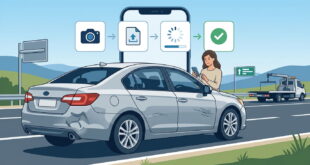
This information relates to downloading the app for your insurance from the Google Play Store or Apple’s App Store. After you download the app, log in, and go to the policy or documents sections. Many apps will display active policies from the home screen. When you tap your car insurance policy, you will have a document menu that will allow you to download the Certificate of Insurance, which will be in PDF format. Some apps also have the ability to create a digital ID card that can be added to your phone wallet. Once added, it will allow you to avoid opening the app to display the card. Some apps require you to verify your vehicle, and to do that, you usually only have to enter your license plate number, and that will display the correct policy document.
There are a number of digital options to find your Certificate of Insurance, but if you have tried the website for your insurance provider, the government portal, and the provided mobile app, there are still ways you can obtain your insurance documentation. The easiest way is to call and speak to a customer service representative that you will find by searching for your motor vehicle insurance provider’s phone number. Once you have the representative, you will need to provide your registration number and some other identifying personal information, and the representative will send you your insurance documentation via email. This usually can be done in a matter of minutes, especially if during business hours.
You may also check your email for the original confirmation of the policy sent to you after the purchase or after the last renewal. Most insurance companies email a PDF of the insurance certificate as an attachment when the policy is issued. A search for the name of your insurer or search for the words “insurance certificate” or “policy document” can help find the policy almost instantly in your email. If these options fail you as you sincerely cannot find your policy, your insurer can issue you another certificate, and if you want to go digital, you will most likely receive it in the same business day.
Final Thoughts
Insurers do offer the services to download a copy of your car insurance with your car insurance registration number, however, it is your responsibility to have the tools to do so. There are options available with your government, your insurer, and with your mobile phone. It all depends on how you your registration number, and your car insurance certificate. It will take you less than five minutes, at the most, to download and save a digital copy of your insurance certificate.
This is for educational purposes only. Processes and portals of insurance in each nation and each insurance provider differ. Always check it with your insurance provider.